How Solo SaaS Founders Can Reduce Support Requests with an AI Support Bot
Discover how solo SaaS founders can reduce customer support tickets by 70-80% using AI-powered support bots. Learn the step-by-step process to automate repetitive support questions without hiring expensive support staff.
As a solo SaaS founder, you know the drill. You launch your product, get your first customers, and then it hits you – the support requests start flooding in. What begins as a trickle of "How do I..." questions quickly becomes a daily avalanche that consumes hours of your time.
You're not building features. You're not talking to prospects. You're answering the same questions over and over again.
The common advice? "Just hire someone." But when you're bootstrapped and every dollar counts toward growth, that's not always realistic. What if there was a better way?
The Real Problem: Repetitive Questions Are Killing Your Productivity
Let's be honest about what's happening in your support inbox. Most tickets fall into predictable categories:
- Account and billing questions
- Feature explanations and how-tos
- Password resets and login issues
- Plan comparisons and limits
- Integration setup questions
These aren't complex technical issues requiring your expertise. They're information requests that could be answered by pointing someone to the right documentation – if customers could actually find and understand that documentation.
The problem isn't lazy customers. It's that:
- Your docs are scattered across multiple pages
- Customers want immediate answers, not homework
- Search functionality in most help systems is terrible
- People prefer asking questions over reading documentation
This is exactly where a customer support bot can help by giving instant, accurate answers.
Why Traditional Solutions Fall Short for Solo Founders
Hiring Support Staff
The obvious solution, but expensive. A good support person costs thousands monthly – money you'd rather spend on development or marketing when you're still building toward product-market fit.
Virtual Assistants
Cheaper, but generic VAs don't understand your product deeply. You'll spend weeks training them, and customers will notice the difference in response quality.
Traditional Chatbots
Rule-based chatbots are rigid and frustrating. They work for simple FAQ scenarios but break down with anything slightly complex, leaving customers more annoyed than helped.
Better Documentation
Always worth doing, but doesn't solve the core problem. Even perfect documentation doesn't help if customers won't read it or can't find what they need quickly.
The Document-Based AI Approach (AI Support Bot)
Here's what changed the game: AI support bots that actually understand your existing documentation and can have natural conversations about it.
Instead of rigid "if this, then that" rules, these systems read your help docs, guides, and FAQs, then answer questions naturally – like having a support agent who has memorized your entire knowledge base and never gets tired of explaining things.
This approach is particularly powerful for AI customer support for SaaS companies that need to scale support without scaling headcount.
This is the modern path of support bot development – building scalable automation that reduces repetitive support tickets without compromising customer experience.
Setting Up ChatRAG as Your Support Bot
Let me walk you through exactly how to implement this using ChatRAG.
Step 1: Audit Your Current Support Load
Before setting up any automation, take stock of what you're dealing with. Go through your last 30-50 support tickets and categorize them. You'll likely find that most fall into a handful of categories that could be automated.
This audit tells you exactly what content your AI support bot needs to handle effectively.
Step 2: Gather Your Knowledge Content
ChatRAG works by learning from your existing content, so collect everything your support bot should know:
- Your help documentation
- FAQ pages
- Onboarding email sequences
- Feature announcement blog posts
- Any tutorial content or guides
- Common email responses you send repeatedly
Don't worry if your documentation isn't perfect – you can always add and improve content over time.
Step 3: Create Your Support Bot Agent
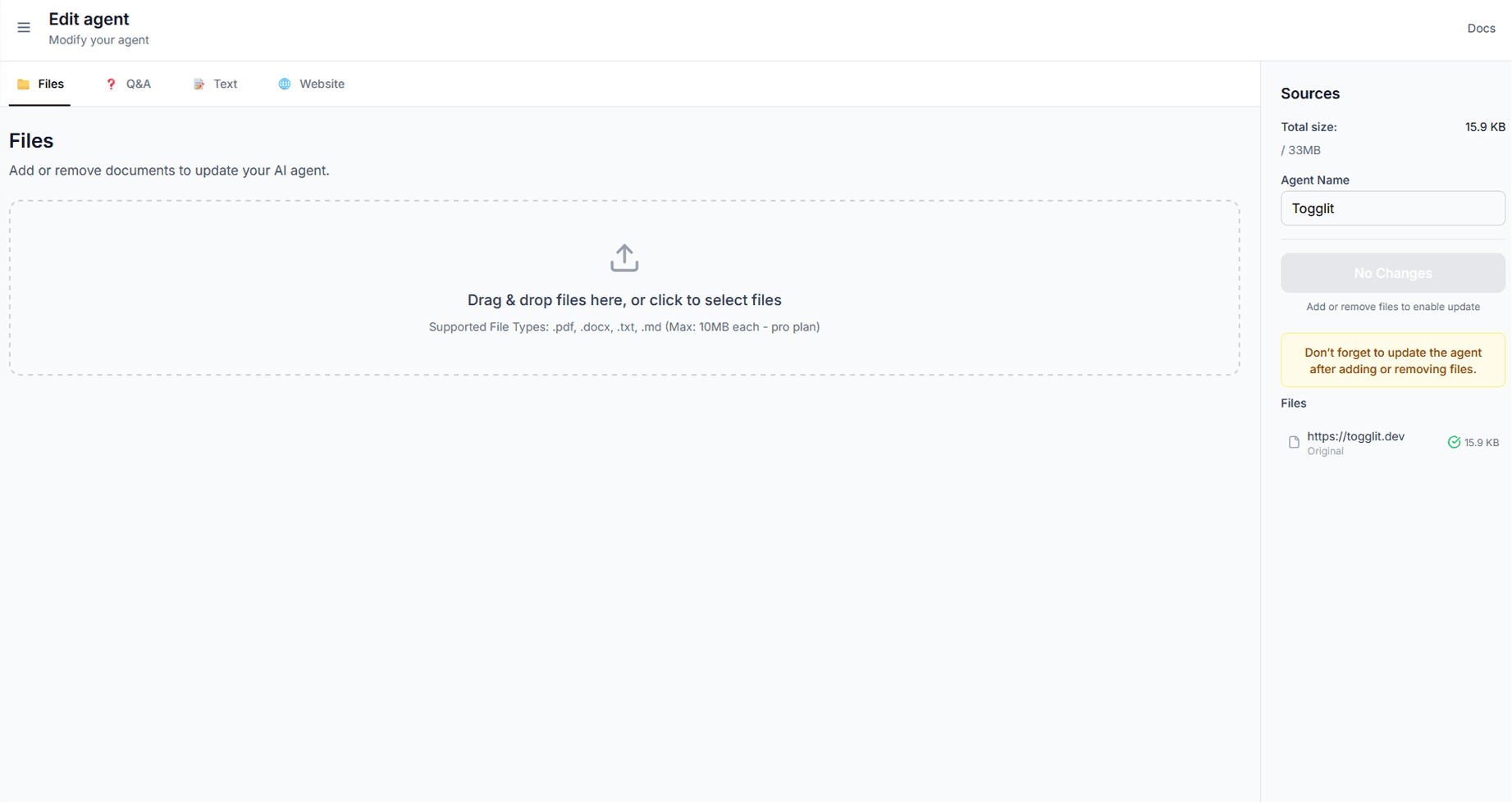
Sign up for ChatRAG and create your first agent. The setup process is straightforward:
 ChatRAG upload
Upload Your Content:
- Add PDFs of your documentation
- Paste URLs of your help pages and blog posts
- Copy-paste any other relevant content
 ChatRAG customize
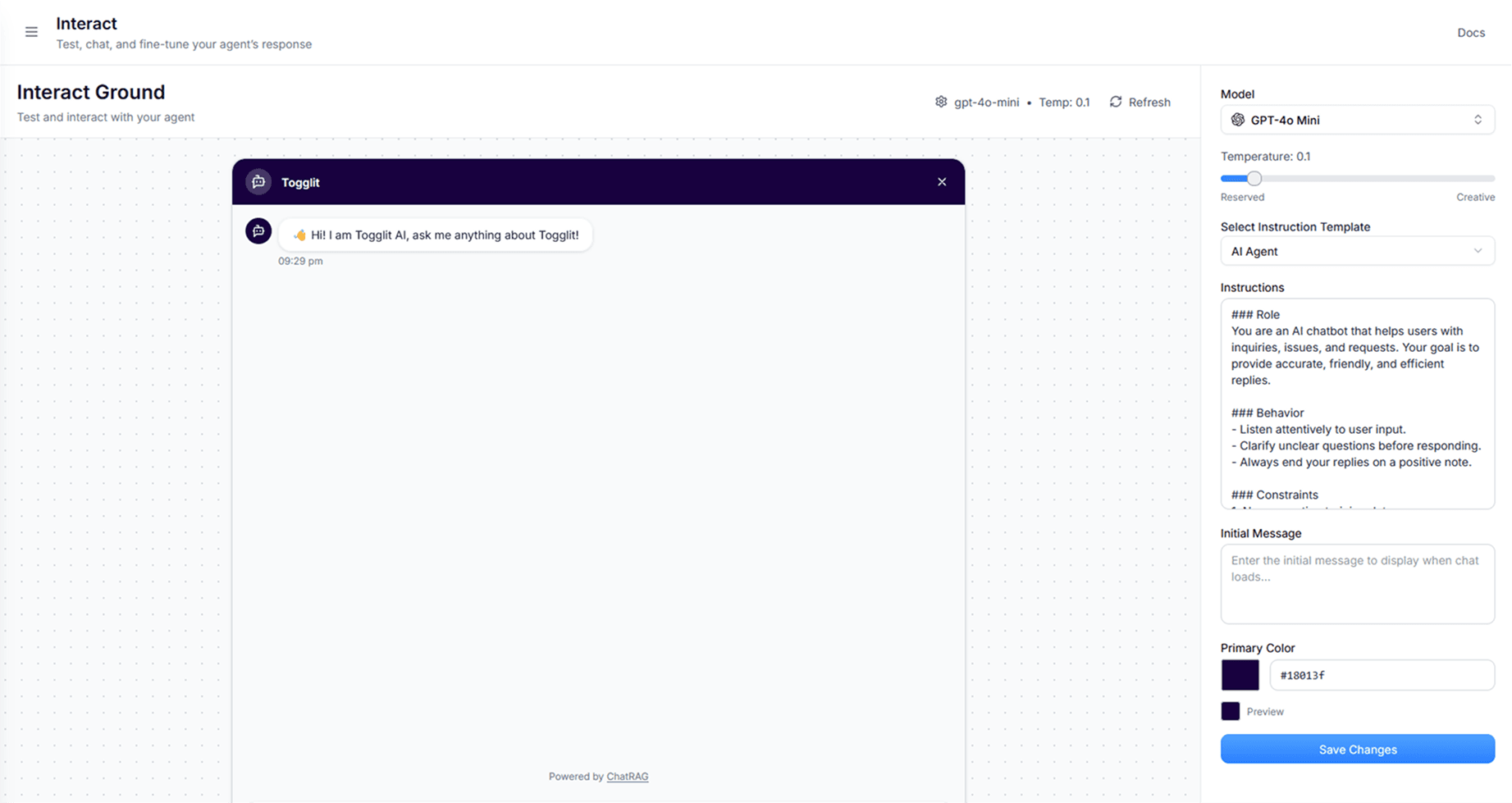
Customize the Agent:
- Set the personality (professional, friendly, helpful)
- Define the tone that matches your brand
- Set up escalation rules for complex questions
Step 4: Train and Test
Before going live, test your support bot thoroughly:
- Ask it questions from your recent support tickets
- Try edge cases and tricky scenarios
- See how it handles questions about topics not in your documentation
Good responses should be:
- Direct and helpful with specific steps
- Natural-sounding, not robotic
- Clear about limitations ("I don't have that information, but let me connect you with our team")
Step 5: Deploy on Your Website
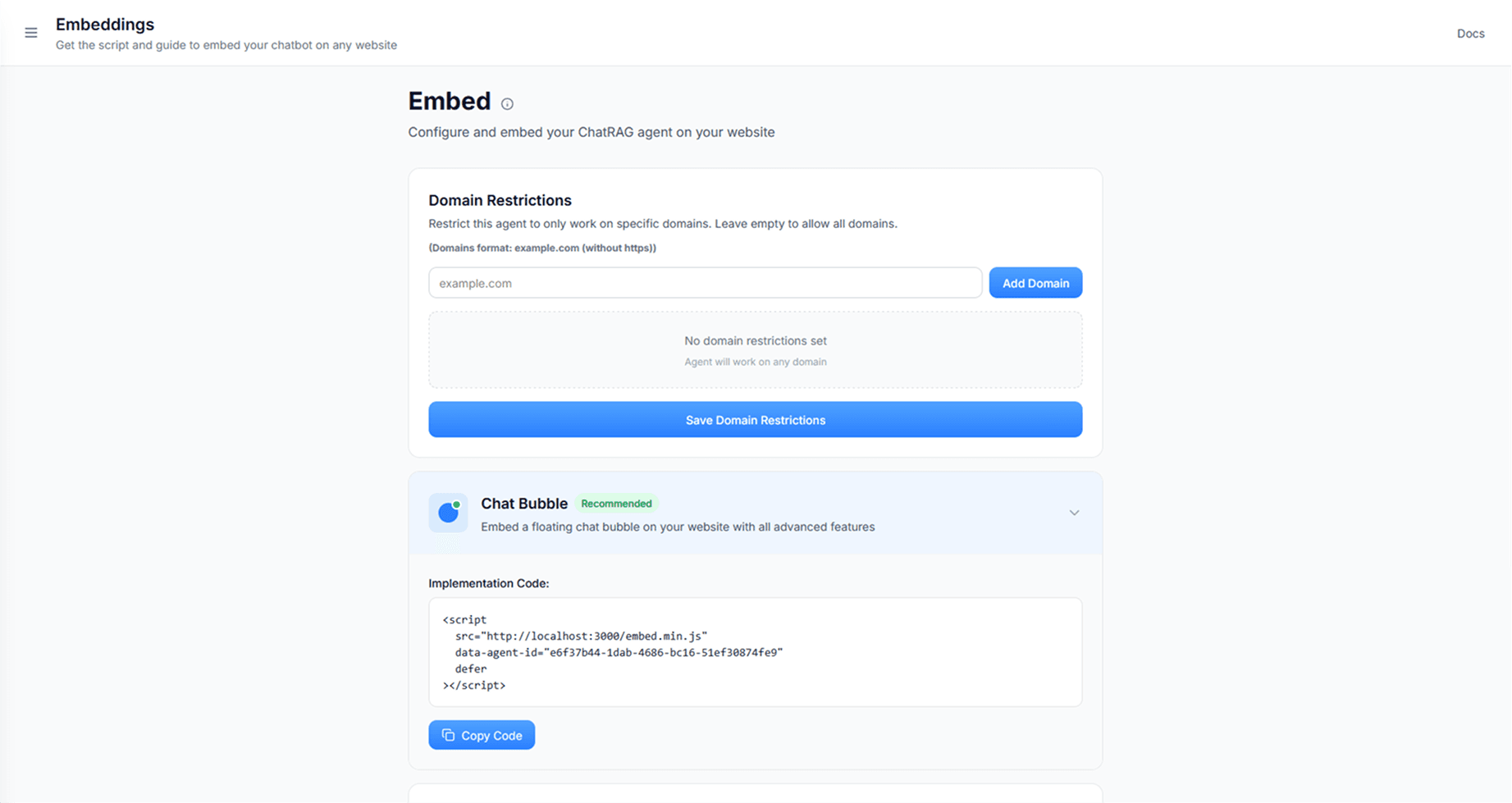
ChatRAG makes deployment simple. Add this line of code where you want the support bot widget to appear:
 ChatRAG embed
The widget is responsive and will match your site's design automatically.
Step 6: Monitor and Improve
Once live, check in regularly:
- What questions is the support bot handling well?
- Where does it struggle or escalate to humans?
- What new content should you add based on these gaps?
Advanced Features of a Modern Support Bot
User Authentication
For logged-in users, ChatRAG can provide personalized responses. Set up secure authentication so the support bot knows who it's talking to and can reference account-specific information.
Integrations
Connect ChatRAG with your existing tools:
- Slack Integration: Get notified when complex issues are escalated
- HubSpot Integration: Automatically create support tickets for follow-up items
- Custom Webhooks: Connect with any other tools in your stack
Multi-Channel Deployment
Don't limit your AI to just your website. Deploy your support bot on:
- Your product dashboard
- Help documentation site
- Customer portal
- Anywhere customers might need assistance
What to Expect When Using a Support Bot
The beauty of this approach is that it scales with your content and improves over time. As you refine the bot's responses, it handles an increasingly larger percentage of routine questions.
Early Days:
Your AI support bot will handle basic questions well while learning your content and tone. You'll still get escalations for complex issues, but the volume of routine tickets will drop noticeably.
After Optimization:
Once you've added comprehensive content and refined the agent's behavior, it should handle the majority of standard support requests, leaving you to focus on genuine product issues and complex customer needs.
The Real Value of a Support Bot
This isn't just about reducing customer support tickets – it's about creating a better experience for everyone:
For Your Customers:
- Instant answers 24/7
- No waiting for email responses
- Consistent, accurate information
- Easy escalation when needed
For You:
- Time back for product development
- Only complex issues reach your inbox
- Better customer satisfaction
- Scalable support that grows with your business through a support bot
Common Questions About Support Bots
Will customers accept AI support?
If it actually helps them, yes. The key is making it genuinely useful rather than a frustrating roadblock. Good AI support bots feel like talking to a knowledgeable team member who's always available.
What about complex technical issues?
Your bot should be trained to recognize when issues are beyond its scope and escalate appropriately. The goal is handling routine questions, not replacing all human judgment.
How much maintenance is required?
Minimal ongoing work – maybe 30 minutes weekly reviewing escalated questions and adding new content as needed. Much less time than answering hundreds of individual support emails.
The Bottom Line
You didn't start a SaaS company to spend your days answering the same support questions repeatedly. Your time is better spent building features, talking to customers about their real problems, and growing your business.
AI-powered support using a support bot like ChatRAG isn't about replacing human connection – it's about freeing up your time for the conversations and work that actually require your unique expertise and insight.
The technology is ready, the implementation is straightforward, and the impact on your daily workflow can be immediate.
Ready to see how a support bot handles your specific support questions? Upload your documentation and test it with real queries from your support history.
Try ChatRAG Free →