How to Create an AI Agent (Step-by-Step Guide)
Learn how to create your own AI agent step-by-step with ChatRAG upload your docs, connect tools like HubSpot, Slack, and Notion, and deploy a smart AI assistant on your website in minutes.
The world of AI is moving fast and building your own AI agent no longer requires a PhD or a 50-person dev team.
With tools like ChatRAG, you can create, train, and deploy an intelligent agent that answers questions, integrates with your tools, and supports customers all in minutes.
🧠 What Is an AI Agent?
An AI agent is an intelligent system that can:
- Understand user input (text or voice)
- Retrieve and reason with context or data
- Take actions using integrations (like Slack, HubSpot, or Airtable)
Think of it as your digital teammate one that works 24/7, learns from your docs, and automates repetitive tasks.
⚙️ Step 1: Define Your Agent’s Purpose
Before you build, decide what your AI agent should do.
Some popular use cases:
- Customer support agent that answers FAQs
- Sales assistant that captures leads in HubSpot
- Internal bot that fetches data from Notion or Airtable
- Community bot that replies in Slack or Discord
👉 In ChatRAG, these are called Flows ready-made logic paths that let your AI connect to your tools and act smartly.
📚 Step 2: Add Knowledge to Your AI Agent
Your agent needs context to sound intelligent.
In ChatRAG, you can upload:
- Docs & PDFs
- Webpages
- Custom text
- Knowledge base links
It’s as simple as going to your agent dashboard → Upload Content → choose file or URL.
ChatRAG automatically indexes your data so the agent can answer contextually.
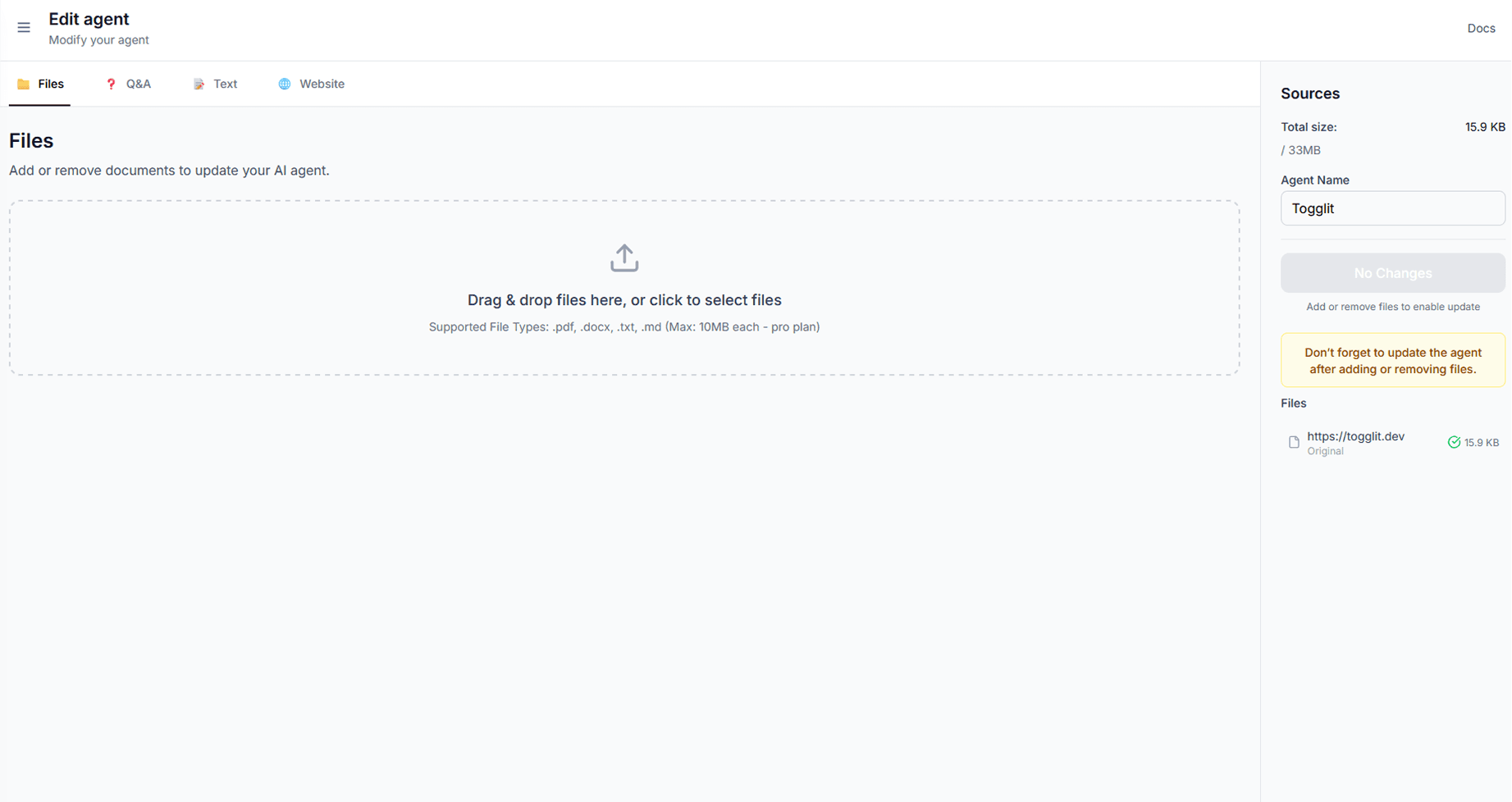 Upload knowledge base to AI agent
🔌 Step 3: Connect Integrations (HubSpot, Slack, Notion, Airtable, Discord)
This is where your AI becomes powerful.
ChatRAG supports one-click OAuth integrations with:
- HubSpot → Create contacts or support tickets
- Slack → Send real-time messages or alerts
- Notion → Read/write data from your workspace
- Airtable → Fetch or update records dynamically
- Discord → Automate community responses
Each integration unlocks prebuilt AI Flows so your agent can act on data, not just chat.
Example:
“Create a new HubSpot contact for John Doe” → instantly handled by your AI agent.
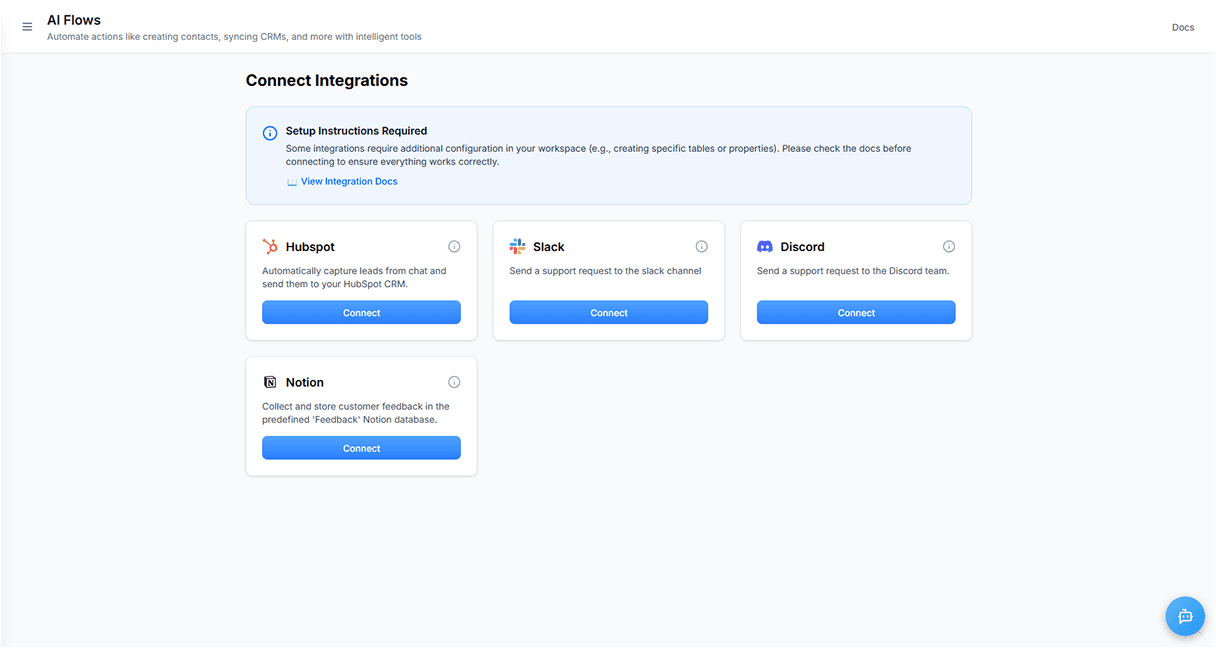 AI Agent Integrations Dashboard
💬 Step 4: Embed Your Agent on Your Website
Once your AI agent is ready, deploy it in seconds.
Just copy your embed script from the ChatRAG dashboard and paste it into your website’s <body> tag.
<script
  src="https://chatrag.co/embed.min.js"
  data-agent-id="YOUR-AGENT-ID"
  defer
></script>
Now your visitors can chat with your AI agent directly on your site.
🔍 Step 5: Test, Improve, and Automate
You can monitor:
- Chat history and analytics
- Active integrations
- User satisfaction scores
- Triggered flows and tool usage
Use this feedback loop to improve your AI’s responses and automate more tasks over time.
Every message and interaction helps your agent get smarter and more reliable.
🚀 Why Use ChatRAG to Create an AI Agent?
- 🧩 No-code setup launch your first agent in minutes
- 🧠 Context-aware AI answers based on your knowledge base
- 🔌 Native integrations HubSpot, Slack, Notion, Airtable, Discord
- ⚙️ Custom flows define how your agent acts using built-in actions
- 💬 Embed anywhere chat widget that fits right into your website
With ChatRAG, your AI agent doesn’t just chat it acts on your data and workflows.
🧩 Bonus: Example AI Flows You Can Build
- “Lead from Chat” → Collect name, email, and create a HubSpot contact
- “Support Ticket” → Send a customer issue to Slack or Hubspot automatically
These flows make your agent feel alive instantly connected to your business tools and ready to help.
🏁 Final Thoughts
Building an AI agent used to be complicated.
Now, with ChatRAG, it’s as easy as:
- Add knowledge
- Connect integrations
- Embed and chat
Your AI agent can now handle customer support, lead capture, and internal automation all on autopilot.
👉 Create your first AI agent today and experience effortless automation.